显示标签为“inkjet printer”的博文。显示所有博文

2020年1月15日星期三

Large Format Domestic Inkjet Printer-The Requirements of Computer Configuration for It

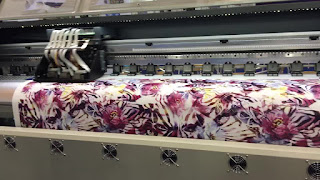
The large-format domestic inkjet printer is a very common printout device in the advertising photo printing industry. It needs to be connected, typeset, and set up through a computer, and finally printed out. So, what kind of configuration is required for the use of a domestic inkjet printer? What are the requirements for the computer configuration of the printer?


  Large Format Domestic Inkjet Printer
Large Format Domestic Inkjet Printer
With the rapid development of the Internet today, the replacement of ordinary office computers is also very fast, from single-core to dual-core processors, to quad-core and even eight-core processors. The hardware is constantly developing towards a higher core. At the same time, with the use of operating systems and related applications, computer hardware configuration needs to be higher and higher, and the operating speed must be faster and faster. As for the use of piezoelectric photo machines, in fact, ordinary daily office computers can meet its requirements, such as dual-core CPU, 1GB to 2GB of memory, 250G hard disk, integrated graphics card or independent graphics card. The motherboard provides about 2 to 4 USB interfaces, and the wired network card interface is sufficient. No other special interfaces and configurations are required (such as printing serial ports).

Many of the older generation printers used serial cables to connect to the digital textile printer. Due to the slow transmission speed of the interface, the installation requires tedious drivers and other operations. The technology is backward and the operation is troublesome. Slowly, many computers have eliminated these interfaces. Now the new-generation computer motherboards are not equipped with these interfaces, and all are using USB or other interfaces for transmission. Especially the USB interface, plug and play, and fast transmission speed.

 Digital Printer
 Digital Printer
As mentioned above, although the computer configuration of the piezoelectric digital printing machine is not high, but in order to make the computer operate more smoothly, if the conditions allow, you can buy a computer with a higher configuration, because for design companies or advertising production shops, both Need to process and design the picture image, these design software need high configuration, so that the operation is smoother. It is recommended to have a high-end computer configuration, such as an I3 processor, 4G of memory, a 1GB single graphics card, a 500G hard disk, and a major brand motherboard. The quality is guaranteed. The configuration of  these hardware can fully support the daily layout and print output requirements of the photo machine.


More Info:
Website: http://www.sublimationstar.com
Company Name: Fei Yue Digital Technology Co.,LTD
E-mail: sales@feiyuepaper.com
Tel: 86-025-86628894
Whatsapp: +86 15007920742
Address: Central Road 323, Nanjing, Jiangsu, China

2020年1月13日星期一

Digital Textile Inkjet Printer-Six Factors Affecting The Print Quality of It

Although in digital printing, digital textile inkjet printer inkjet printing has about 5% market share. However, the development of inkjet printing is more or less restricted by some factors. At present, the factors affecting the quality of inkjet printing are mainly the following.

1.Color conversion


How to accurately convert the color of the light source system (R, G, B) to an inkjet or printing system (C, M, Y, K) is a very complicated science, but only by accurately converting the color can we obtain Real high-quality effects. Therefore, accurate color conversion technology is an important key to the quality of inkjet printing.

2.Resolution


 Digital Textile Inkjet Printer
Digital Textile Inkjet Printer
The higher the resolution, the finer the resolution and gradation dots printed, the better the printing quality. But for a color inkjet printer, the resolution refers to how many dots can be printed on a 1-inch width, regardless of whether the dots overlap.

3.Color scale


The current inkjet printing technology of digital printing machine can precisely control the color level of the ink droplets, and control the color ink from not spraying to spraying one drop to spraying 16 drops at the same position.

4.Print head control


The ink dot is sprayed onto the paper through a nozzle. Generally speaking, the nozzle and the printing head are made together, so the technology of the printing head itself is very important. Precision of transmission belt.

5.Ink


 Inkjet Printer
 Inkjet Printer
Inkjet printing inks are special inks with moderate viscosity. They should be non-toxic, stable, non-clogging nozzles, good moisturizing properties, good ejection properties, and non-corrosive to the metal components of the nozzle. At present, most inkjet inks are dye-based inks. The inks of inkjet piezoelectric photo machines must also have sufficient surface tension to prevent the ink from spattering when ejected. In addition, the ink must have fast-drying properties to prevent halo on the paper. Therefore, the ink itself is one of the factors affecting the printing quality.

6.Substrate material


The printing media of inkjet printer requires paper with a smooth surface and a certain sizing degree. The sprayed ink evaporates to dryness, the ink dots are round, the printed characters are clear, and the graphics are beautiful. For color inkjet printing paper, it is best to have a very thin transparent coating on the surface, which can quickly absorb the ink and avoid light scattering in order to obtain the ideal print.


More Info:
Website: http://www.sublimationstar.com
Company Name: Fei Yue Digital Technology Co.,LTD
E-mail: sales@feiyuepaper.com
Tel: 86-025-86628894
Whatsapp: +86 15007920742
Address: Central Road 323, Nanjing, Jiangsu, China

2019年12月5日星期四

Large format digital printer-how to maintain image accuracy in its output

In order to obtain high-quality output effects in the large format digital printer color output, we must pay attention to the source file quality. There are two main ways to obtain the source file. One is obtained by scanning the material. At this time, the performance of the scanning device has a decisive influence on the quality of the generated file. The quality of the file obtained by scanning the same material on different devices is different. Another method to obtain the original image is to directly select it from the ready-made electronic picture library. At this time, the user cannot select the accuracy of the source image.

 Large format digital printer
Large format digital printer
In theory, the file accuracy of the source digital inkjet printer image should be no less than 1/4 of the output accuracy in the case of 1: 1. For example, if a 10X10cm photo is to be enlarged to 100X100cm and output at 720dpi, the photo should be scanned at a resolution of not less than 1800dpi (calculation formula: source file dpi = magnification factor X (output dpi / 4)). If the accuracy of the source file is less than 1/4, the image will appear more grainy and affect the picture quality. If it is too large, the file will be too large, which will affect the drawing speed. In actual use, users often encounter such a problem. When scanning a photo, the accuracy of scanning needs to exceed the mechanical resolution of the scanner. At this time, the user only needs to scan the entire photo with the highest mechanical resolution of the scanner, instead of using the scanner's software interpolation function to improve the file accuracy. If the RIP software has anti-aliasing, it is best to turn it on. Example: 10X10cm photos need to be scanned at 1800dpi, and the scanner's mechanical resolution is 600dpi. The scan should be performed at 600dpi, so the scanned file is much smaller. On this basis, the image processing speed is much faster than the processing of 1800dpi images. You can increase the file accuracy before adding text or printing output. To get better scanning results, higher quality material is required. The order of scan quality of different types of materials is color positives, photos, and prints. For color negatives, it is best not to use it for non-professionals because it involves color reproduction. Among them, prints are the most common. The key to scanning prints is to choose the parameters for going to the screen. Users can first compare different parts of the material with different parameters to find the best parameters.

 Inkjet printer
 Inkjet printer
Note: The optical resolution of a scanner refers to the accuracy of the optical components in the scanner. Mechanical resolution refers to the accuracy of the scanner's mechanical movement, similar to hardware interpolation. Software resolution refers to the resolution that the scanning program can achieve using interpolation algorithms.

Our company provides all kinds of digital printing machines, such as sublimation printers, eco-solvent printers, UV printers, 1.8m, 2m, 3.2m wide, which can be equipped with different Epson print heads. If you have any needs, please feel free to contact me or leave me a message below the post.


More Info:
Website: www.skyimagepaper.com
Company Name: Fei Yue Digital Technology Co.,LTD
E-mail: sales@feiyuepaper.com
Tel: 86-025-86628894
Whatsapp: +86 15007920742
Address: Central Road 323, Nanjing, Jiangsu, China

2019年12月4日星期三

The processing steps of piezo photo machine doesn't respond after turning on

Nothing happens when the piezo photo machine is turned on, and all the indicators are off. What should I do? How can this be done? I collected and sorted out some reasons and shared them for your reference.

As there are many brands of inkjet printing machines, the causes are also different. In this case, we should first check whether the circuit is normal and then check whether the components are damaged.

 Piezo photo machine
 Piezo photo machine
1. First, check whether the power cord and socket of the machine are damaged or plugged in.

2. If all the above reasons have been ruled out, it is that the power board is broken.
Unfortunately, there is only one last reason. If the power board is broken, we generally can not repair it, it is suggested to contact the photo machine factory or agents to help solve it. Because there are so many other components on the power board, it's hard to know exactly what's wrong, or more will be damaged.

3. Check whether the machine power switch is damaged or out of order.

Inkjet printer
Inkjet printer
4. Paper cannot be detected: check the print loading item of the auxiliary function in the software menu to see if the paper can be detected. Reload the paper, and the machine with the display will prompt a paper-related warning. When the printer can not sense the paper will not continue to print the task, we need to check whether the paper is good, if necessary to re-test the paper.

5. Print port: we need to check if the IP addresses are consistent.

Network printing needs to unify the IP address, digital printer commonly used port USB is more, when changing the interface needs to adjust the corresponding Settings to normal use.

6. Computer system: some people say why you can print in the first place? This is also the case when computer systems are incompatible because incompatible conditions can cause the machine to be either normal or abnormal. It is recommended to reinstall the system or replace the computer.


More Info:
Website: www.skyimagepaper.com
Company Name: Fei Yue Digital Technology Co.,LTD
E-mail: sales@feiyuepaper.com
Tel: 86-025-86628894
Whatsapp: +86 15007920742
Address: Central Road 323, Nanjing, Jiangsu, China

2019年12月3日星期二

The large format inkjet printing machine-how to clean its internal dust

A large-format inkjet printing machine has been in use for a year, and there is a lot of dust in it. I am afraid that it will cause many failures to the printer. I want to erase the dust. How can I remove the dust? What to pay attention to?

 Large format inkjet printing machine
 Large-format inkjet printing machine
First, open the cover of the digital textile printer and use a clean, soft, damp cloth to remove dust, smudges, ink stains, and shreds from the inside of the printer. If the dust is too much, it will cause poor lubrication of the carriage guide shaft, which will hinder the movement of the print head during printing. You can use a degreased cotton swab to wipe off the dust and oil on the guide shaft and replenish better fluid lubricants, such as sewing machine oil.

Pay attention to the following points when cleaning the inside of the inkjet printer:


1. To wipe the gear, do not wipe the area near the print head and the ink cartridge.

2. In general, do not move the print head. In particular, the print head of some printers is mechanically locked, and the print head cannot be moved by hand. If the print head is forcibly moved, the mechanical part of the printer will be damaged.
Digital printer
Digital printer

3. Do not use any paper products to clean the inside of the digital printing machine, so as to avoid leaving paper scraps in the printer.

4. Do not use volatile liquids (such as thinner, gasoline, spray-type chemical cleaners) to clean the printer, so as not to damage the printer surface.

Our company provides sublimation printers, eco-solvent printers, UV printers, 1.8m, 2m, 3.2m wide, which can be equipped with different Epson print heads. If you have any needs, please feel free to contact me or leave me a message below the post.


More Info:
Website: www.skyimagepaper.com
Company Name: Fei Yue Digital Technology Co.,LTD
E-mail: sales@feiyuepaper.com
Tel: 86-025-86628894
Whatsapp: +86 15007920742
Address: Central Road 323, Nanjing, Jiangsu, China

2019年12月2日星期一

Tarpaulin digital printer -common problems and solutions for two continuous systems of it

The ink supply methods of tarpaulin digital printers are not all uniform, but most of them are currently used for continuous ink supply systems. Then as a photo machine needs to be maintained, and this continuous ink supply system should also be well maintained to really ensure the print quality of the photo machine.

Tarpaulin digital printer
1. Regardless of the ink supply method, the ink tube is a key maintenance object, and the supply system is no exception. In order to ensure the normal ink supply, we need to check the ink inlets of the ink cartridges inside and outside the ink duct, the ink ducts, and the air filters of the outer cartridges to prevent the ink ducts from entering the air or being blocked. If there is a blockage, you can use a syringe needle to clear the ink outlet. If there is air, you can also extract air by this method.

 Eco-solvent printer
 Eco-solvent printer
2. Sometimes there will be some bubbles in the ink cartridge of banner eco-solvent printer. Do not underestimate these bubbles. These bubbles can cause problems such as disconnection and lack of color in photo printing. At this time, we need to eliminate the foam before it can be used normally. The specific operation can be completed with a syringe. Take out the inner cartridge first, and use a syringe to pull out the ink in the cartridge. Remember not to rush out at this time, but to slowly pull out. The process at this time is that the ink from the outer cartridge will flow into the inner cartridge, and the ink from the inner cartridge will enter the syringe. After the syringe tube has been filled with ink, the ink in the tube, such as the outer cartridge, is repeated until the ink is free of bubbles.

The continuous supply system is also an important part of the eco-solvent printing machine. When the photo machine is usually maintained, remember to do all aspects of maintenance to ensure that the photo machine has a longer life!


More Info:
Website: http://www.sublimationstar.com
Company Name: Fei Yue Digital Technology Co., LTD
E-mail: sales@feiyuepaper.com
Tel: 86-025-86628894
Whatsapp: +86 15007920742
Address: Central Road 323, Nanjing, Jiangsu, China

2019年12月1日星期日

Digital photo printer-how to correctly use the ink damper of it

Extensive application of digital photo printers, becoming the mainstream printing device for advertising inkjet printing. High-speed printing with stable performance is more welcomed by users. These high-quality stable performance can not be separated from the close cooperation of the small and large parts of the piezoelectric photo machine to play its important role.

 Digital photo printer
 Digital photo printer
Among the accessories of these piezoelectric inkjet printing machines, there are core accessories, such as our common piezoelectric nozzles, etc., its functions are not described in detail here. What we want to share today is the common gadgets in the piezoelectric photo machine-photo machine ink sacs, these are our common and need to be replaced frequently. These small accessories that we often need and need to be replaced frequently. The correct use of the ink sac can check your photo machine, and the photo machine is better protected and used.

I believe that many users will observe that on the small frame of the photo machine, above the print head, there is a row of small transparent plastic bags connected between the print head and the ink tube. This is the ink sac of the photo machine, usually 4 groups of 8. For example, 8 domestic printers are installed in the printer, and the size is about 5cmx5cm. It is a translucent body with a half bag of ink inside and a filter inside. Its function is mainly used for filtering. The impurities brought by the ink reduce the probability of nozzles and clogging.

 Inkjet printer
 Inkjet printer
The printer ink bag can better control the use of the digital textile printer, filter the ink, and avoid the impurities generated by the ink from blocking the nozzle. At the same time, it can deliver smoother ink to the print head of the photo machine, make the print head work better, and take the printout of the photo machine more beautiful and the color better. However, we need to replace the ink sac from time to time, otherwise, the probability of nozzle clogging is likely to be caused, because too many impurities in the filter or the ink sac without ink will cause the nozzle to be blocked. In the daily use and maintenance of photo machines, the ink sac is also a common replacement accessory. It also belongs to over-ink parts and wearing parts. Its price is relatively low, so frequent replacement will not cause excessive costs. Regular replacement Ink sacs can better protect the photo machine.


More Info:
Website: http://www.sublimationstar.com
Company Name: Fei Yue Digital Technology Co., LTD
E-mail: sales@feiyuepaper.com
Tel: 86-025-86628894
Whatsapp: +86 15007920742
Address: Central Road 323, Nanjing, Jiangsu, China

2019年11月7日星期四

Photo printer-ambient temperature and cleaning method affect the life of its nozzle

The viscosity index of the ink will change with the change of the ambient temperature, and the corresponding working voltage of the corresponding photo printer nozzle will change accordingly. Otherwise, the injection of the nozzle will be unstable, and the phenomenon of disconnection and ink breakage will occur easily. When the temperature is high, the viscosity of the ink is lowered. At this time, the working voltage of the nozzle should be appropriately reduced. Otherwise, it is easy to form a bubble inside the ink tube, causing no ink to be ejected from the nozzle, resulting in a white line of the screen. Conversely, when the temperature is low, the viscosity of the ink will increase. If the working voltage of the nozzle is not adjusted, the ink will accumulate inside the ink tube. In a short time, it may be seen as a virtual spray. After a long time, the nozzle is easily irreversible. Damage, serious damage to the nozzle hole. The nozzle works from the beginning, the temperature of the nozzle plate is relatively low, but with the continuous operation of the piezoelectric ceramic, the temperature inside the nozzle plate will gradually increase, and as the ink is continuously ejected, part of the heat will be taken out. Finally, the working temperature of the nozzle will be constant at a fixed range. If you start from the beginning of the nozzle to the constant temperature stage, you need to adjust the nozzle voltage according to the nozzle plate or the ink temperature to ensure the normal operation of the nozzle. Otherwise, the nozzle will be unstable.

 Photo printer
 Photo printer
For the processing of the digital textile printer nozzle not printing, in the actual printing process, the width of the screen often appears to be smaller than the design width of the nozzle, then the portion of the nozzle that does not come out will not be inkjet. If the ink is sprayed, it will cause a large amount of ink residue to be transported. If the cleaning is not clean, the belt life will be reduced. In addition, because of the interval between the nozzle and the belt, the small ink droplets ejected will drift around with the airflow, flying around the nozzle, and even the control circuit on the nozzle, affecting the normal operation of the circuit part, and being inhaled by the staff is also a great hazard. For this reason, the excess nozzle will not work. If the excess nozzle does not work, the ink in the nozzle nozzle and the ink on the nozzle surface will inevitably cause the ink to dry on the nozzle pipe and the nozzle surface due to volatilization, and the nozzle is blocked. Normally, the nozzle should be cleaned at regular intervals so that the ink in the nozzle tube is in a flowing state.

 Inkjet printer
 Inkjet printer
The effect of the cleaning method on the nozzle. When the ink is ejected normally, the ejected ink droplets will have satellite points, and the satellite dots will adhere to the nozzle surface. As the printing time increases, the satellite dots will increase, thereby forming ink beads on the surface of the nozzle film. If there is damage near the nozzle hole of the nozzle plate, it is not conducive to the diffusion of the ink beads, it will accumulate around the nozzle hole, causing the nozzle hole to be temporarily blocked, and no ink is ejected; if it is not cleaned in time, or the cleaning is not complete, it is possible Causes the ink to dry on the surface of the mouth, speeding up the blockage of the nozzle orifice. In addition, because the cleaning method is not correct, or the cleaning material is incorrectly selected, the nozzle film may be scratched, and the nozzle may be scratched, as if the water is discharged from the faucet. If the water outlet of the faucet is damaged, then The water flow coming out is not under direct current, but is biased out. The same is true for the nozzle inkjet water. Once the nozzle hole is destroyed, it will directly cause irreversible damage to the nozzle. After the nozzle hole is destroyed, the ink around the nozzle hole is more likely to accumulate ink, block the nozzle hole, and shorten the service life of the nozzle. In addition, it also causes oblique spray, which reduces the print quality of the screen.

From the application of the industry, the nozzle of large format digital printing machine manufacturers must have targeted development, in order to better adapt to the industry applications, equipment manufacturers must also have a wealth of nozzle experience, to ensure the cooperation of nozzles and ink, professional manufacturers can provide complete nozzles Maintenance program to extend the life of the nozzle.


More Info:
Website: http://www.sublimationstar.com
Company Name: Fei Yue Digital Technology Co.,LTD
E-mail: sales@feiyuepaper.com
Tel: 86-025-86628894
Whatsapp: +86 15007920742
Address: Central Road 323, Nanjing, Jiangsu, China

2019年11月6日星期三

Textile printer is garbled or fan does not turn, what should we do?

In recent days, I have seen a lot of people rushing to ask questions about the failure of the textile printer, mainly because of the garbled phenomenon of the photo machine and the fact that the fan of the printer does not turn. Today, I have probably sorted out some related solutions for your reference. I hope I can bring you some help.

There are two main situations in the garbled version of the inkjet printing machine: one is that the photo machine is garbled, that is, the image that is printed is completely inconsistent with the original image, and the deviation is very large. Another situation is that the display of the photo machine is garbled.

 Textile printer
 Textile printer
If the printer is garbled, it can be solved according to the following conditions. First, if the real machine uses a parallel port print line, make sure that the parallel port mode of the computer is ECP. If the mode is correct, check if the data cable or the print cable is normal. If there is any problem, please replace it in time. In addition, there may be a problem with paper feeding. Check if the paper is normal and whether the paper is correct. If these are normal, it may be that the computer software or the system has failed. You can reinstall the Montevideo software or replace the computer and test it. If it still doesn't work, then there may be a problem with the motherboard of the photo machine, so you need to replace it in time.

Another situation is the problem that the photo display is garbled. First of all, please pay attention to whether it is in English. If this is not the case, please check the static electricity or ground connection, or the plug on the screen and the motherboard are not plugged in, just plug it in again. You can also use alcohol to wipe the memory and decryption cards to improve the situation. If it doesn't work, it's probably a display problem, and you need to change the display in time.

 Digital printer
 Digital printer
Finally, let's talk about the fan problem of digital inkjet printer. Generally, there is a problem with the connection. You can re-plug it or change the root line. It may also be a problem with the socket. Put the fan in another slot and test it. If it can be used normally, it proves that there is a problem with the socket. Of course, if it can't rotate normally, most of the fan is broken, you need to replace it. In some cases, the fan is faulty due to the motherboard problem. It is best to ask the technician to check it and determine if the motherboard needs to be replaced.

For the time being, I have summed up so much for everyone. I hope that I can help you. I also remind everyone to be careful when using it, so as to avoid unnecessary problems and affect work efficiency.


More Info:
Website: http://www.skyimagepaper.com
Company Name: Fei Yue Digital Technology Co.,LTD
E-mail: sales@feiyuepaper.com
Tel: 86-025-86628894
Whatsapp: +86 15007920742
Address: Central Road 323, Nanjing, Jiangsu, China

2019年11月4日星期一

Digital printer printing speed is slower after system is modified,how to do?

I believe everyone knows that the continuous ink supply system used in digital printers on the market is also a common trend. The development of the continuous supply system is relatively mature. The most important use is convenient and fast, which can greatly improve the work efficiency of the photo machine, thus deeply welcomed. However, some users also directly modify the continuous ink supply system, so there is a situation in which the printing speed is reduced after the system is modified. I also want to know that it was originally intended to improve the efficiency of work, but it was not enough to lose the result. Let me share with you today the solution to this situation, I hope to help you make up for this advantage.
 Digital printer
 Digital printer

Generally speaking, when the continuous ink supply system of digital inkjet printer is modified, the original ink cartridge will be modified. In this case, it will inevitably
burden the word car. When the load is too heavy, the car will run slowly, and the overload will lead to accelerated aging of the photo machine and increase the friction between the car and the connecting rod, resulting in a lower working speed. The car could not be reset and could not be used completely.

To solve this situation, there are the following methods:


The first is to replace the motor. When the hose of the continuous ink supply system rubs against the wall of the printer, the load of the electric motor will gradually increase. This will cause the loss of the motor for a long time, so it needs to be replaced. The second is to lubricate the connecting rod. Sometimes low-speed printing is because the use time is longer, the friction between the carriage and the connecting rod inside the machine becomes larger, and the increase in resistance causes the electric motor to run slowly, so that the lubrication of the connecting rod can solve the fault. Finally, pay attention to the aging of the belt of the printing equipment. The frictional force of the driven gear connected to the motor accelerates the aging of the belt of the printer. At this time, the cleaning and lubricating machine can avoid the failure of the belt aging.

 Inkjet printer
 Inkjet printer
It is worth noting that you should be careful to connect the wires of large format digital printing machine, and do not cause the pulling of the car to be blocked. Since the internal structure of different photo machines is somewhat different, and there is no support for modification and supply, it is crucial that the wiring problem becomes a modification. I hope these methods can bring you some reference!


More Info:
Website: http://www.sublimationstar.com
Company Name: Fei Yue Digital Technology Co.,LTD
E-mail: sales@feiyuepaper.com
Tel: 86-025-86628894
Whatsapp: +86 15007920742
Address: Central Road 323, Nanjing, Jiangsu, China

2019年10月18日星期五

Digital inkjet printer-how to use and maintain its ink supply tube

The printing ink supply tube of digital inkjet printer is the connection channel between the printing nozzle and the ink supply cartridge. Usually, the photo machine consists of a total of 8 ink tubes in a row, which is responsible for conveying ink to the nozzle. Don't look at a small plastic tube, its role is very important, such as printing ink breaks in the common fault of the photo machine, the ink supply is not on, the ink tube leaks, small holes, cracks, blockage, etc. Wait, it will directly affect the normal print job of the photo machine.

 Digital Inkjet Printer
 Digital Inkjet Printer
First of all, the ink tube of wide format textile printer should have high corrosion resistance, so the material selected for the ink supply tube must have strong corrosion resistance and toughness. It is undoubted that the ink supply tube of the photo machine needs toughness. If there is no toughness, it will not be able to withstand such a range when it needs to move back and forth. For example, the portion of the ink tube connected to the nozzle needs an unrestricted high-speed back and forth movement, which may cause the ink tube to rupture ink ejecting, leaking gas, etc., and the chain reaction may cause catastrophic consequences of the scrapping of the entire photo machine. Therefore, many photo machine manufacturers in the process of the arrangement of the ink tube of the machine, in order to better protect the toughness of the ink tube, the tank chain-type drag chain is installed on the outer layer of the ink tube, which can effectively protect the ink tube printing process in the printer. The frequent coming and coming movements cause damage to the ink tubes. In addition, the corrosion resistance of the ink tube is also important. If the ink tube cannot resist the pollution of the ink, then every part of the ink tube will not be safe in the ink supply process, and even the entire ink tube will leak due to corrosion. In the case, the hazard is even greater than the lack of toughness.

 Digital Printer
 Digital Printer
In addition to the selection of the ink tube, usually pay attention to the maintenance work in the use of the inkjet printing machine, do not disassemble the ink tube, pay attention to the tightness of the ink tube and the joint. Pay attention to check the integrity and patency of the ink tube. Do not let other inks precipitate or other impurities cause the ink to solidify and block the ink supply tube.

Therefore, the use and maintenance of the ink supply tube of the photo machine is very important, and the user of the photo machine must pay attention to it.


More Info:
Website: http://www.sublimationstar.com
Company Name: Fei Yue Digital Technology Co.,LTD
E-mail: sales@feiyuepaper.com
Tel: 86-025-86628894
Whatsapp: +86 15007920742
Address: Central Road 323, Nanjing, Jiangsu, China

2019年10月14日星期一

Digital printing machine-the sequence steps to properly check printer nozzle failures

As we all know, the nozzle is the core of the digital printing machine, so its value is also very expensive. How to check and eliminate the failure of the printer nozzle?

 Digital Printing Machine
 Digital Printing Machine
When we are using the inkjet printing machine, if the nozzle can't discharge the ink, don't think about changing the nozzle first. Check it carefully to make sure that the nozzle is burnt, don't blindly replace the nozzle, and waste money. There are many factors that may cause the nozzle to fail to ink. Just a simple check, we can determine the actual situation of the nozzle of the printing machine.

First of all, when the nozzle does not discharge ink, first remove the nozzle, be careful when removing the nozzle, do not scratch the surface of the nozzle. After removing the nozzle, you can use a paper towel or towel without dander to gently touch the surface of the nozzle to see if there is any ink oozing. If there is no ink oozing out, the nozzle is internally clogged, and the nozzle can be re-cleaned. It may also be caused by a problem with the raster of the photo machine or the poor deformation of the small frame. At this time, it is only necessary to determine the cause of the problem. Normal repair or replacement of the accessories is sufficient.

 Inkjet Printer
 Inkjet Printer
If the above methods can not eliminate the problem of the nozzle, we can first check the other accessories of the photo machine, first check if the ink in the ink cartridge is insufficient, whether the ink tube is leaking or damaged. Also, check if the ink damper is damaged. If there is no problem with the photo machine accessories, the user can clean the nozzle multiple times, then increase the print accuracy mode, and then print the test to see if it can print normally. If it can print normally, it means that some nozzles are damaged, but it can be used normally if it is printed in high-precision mode. If it still cannot be printed normally, it means that all the nozzles of a certain color are burnt out and cannot be used any more, then it needs to be replaced.

The nozzle is the core of the large format digital printer, so its value is also very expensive. Please refer to the above suggestions when there is a problem with the photo machine nozzle.

More Info:
Website: http://www.sublimationstar.com
Company Name: Fei Yue Digital Technology Co.,LTD
E-mail: sales@feiyuepaper.com
Tel: 86-025-86628894
Whatsapp: +86 15007920742
Address: Central Road 323, Nanjing, Jiangsu, China

2019年8月1日星期四

About eco-solvent printing machine,three major reasons for the long-lasting color of nozzle

Nowadays,eco-solvent printing machine outdoor advertising has been perfectly integrated into our daily life, and the outdoor advertising display in the outdoor environment, different outdoor display forms, different climates in spring, summer, autumn and winter, sunshine, rain, sand and dust, etc. The influence of factors, how can we maintain the color of the outdoor advertising spray painting surface without discoloration and fading, and the durability of the advertising image? The following factors are very worthy of the attention of advertisers.

1. Use high-performance eco-solvent printer printing equipment and outdoor compatible ink

 Eco-solvent Printing Machine
 Eco-solvent Printing Machine
The inkjet printing is the preferred inkjet eco-solvent printer. Nowadays, large format inkjet printing equipment is developing very fast, and the technology is changing with each passing day. Various high-performance photo-performance machines with multi-function and multi-application are also on the market. Printed and printed with a high-performance outdoor photo machine, you can quickly and easily complete the large-format advertising spray painting surface. At the same time, it can ensure better picture color printing, high color reproduction, and better compatibility of outdoor media and ink. Eco-solvent printer can realize higher speed and high precision advertising screen printing output, and is the best photo printer printing output device for outdoor advertising pictures;

2. Select high quality outdoor printing machine to print media materials

Correctly choose high-quality outdoor large format eco-solvent printer printing media, for example, in the use of outdoor printing cloth, choose the inkjet matching with the ink, and if the silk is not strong enough, the structure is not good, in the sand Under the combination of other external factors, the outer surface of the fabric may also be damaged, torn or deformed. The inkjet color on the inkjet fabric may also be easily peeled off from the base fabric, and the color of the outdoor inkjet advertisement screen cannot be maintained for a long time.

3. Pay attention to the influence of different outdoor environments and natural factors on the color of the advertising screen

 http://www.ink-sublimation.com/en/oric/887-oric-ds3203-e-be-large-format-eco-solvent-printer-for-vehicle-graphics.html
 Eco-solvent Printer
The eco-solvent printing equipment printed beautiful inkjet products are easily damaged by the sun, rain and other factors. How to make beautiful inkjet products less susceptible to sun and rain damage? Pay attention to temperature difference, UV protection, rain and sand, dust and environmental pollution, and prevent artificial graffiti and damage. These factors, we are paying attention to the protection of outdoor advertising. For example, in the temperature difference operation, if the image is in a temperature environment of 100 ° C or 0 ° C for too long, pay special attention to the treatment. If the temperature is too low, the image will crack. If it is too hot, the film will be peeled off or softened, making the image unclear. In the operation of anti-ultraviolet and rain, it can be coated or glued, chemical agents or UV absorbers on the film, which can extend the life of the image several times, and the color of the image can be more durable and not easy to fade;

The color of the painting surface is durable and durable. It is mainly based on protection. It uses high-performance photo printing equipment and high-quality outdoor ink to provide the preconditions for outdoor advertising image color.


More Info:
Website: www.skyimagepaper.com
Company Name: Fei Yue Digital Technology Co.,LTD
E-mail: sales@feiyuepaper.com
Tel: 86-025-86628894
Whatsapp: +86 15007920742
Address: Central Road 323, Nanjing, Jiangsu, China

2019年7月10日星期三

Your photo printing machine is leaking,Do you know how to check it?

Operation of the photo printing machine will always encounter a variety of problems, such as the photo machine leaks, how to check the machine for leaks, what is the performance of the machine leak, how to deal with this phenomenon? Today, I will introduce the knowledge about the leaks of machines.

1. How to check if the machine has air leakage?

 Photo Printing Machine
 Photo Printing Machine
First, you need to inject 25ml--30ml of ink into the nozzle, suck the air out of the pipe, and then install the nozzle, which is higher than the car, and put it upside down for three seconds before releasing it. At this time, bubbles will appear in the nozzle. Will rise upwards, then we have to carefully observe, if the bubble rises slowly, it means normal, and if the bubble does not stop if it rises, then the installation port leaks.

2. What is the performance of the machine when it leaks?

The performance of the digital printing machine leaking: (1).The photo machine will appear in the process of spraying the bubble does not go inside the nozzle; (2). The bubble appears backflow; (3). The ink in the nozzle hole is very serious; (4). The contact The belt will be stained with ink; (5). Ink will appear when printing.

3. What should I do if I find that the machine is leaking?

 Inkjet Printer
 Inkjet Printer
The general photo machine air leakage mainly refers to the air leakage of the mounting hole. This is likely to be caused by excessive force during installation. It is recommended to use the middle hole of the bicycle inner tube to cover the nozzle mounting hole, and then tighten the ink needle.
The relevant knowledge about the leakage of the inkjet printer is mentioned here. I hope that everyone will accumulate some knowledge of the photo machine, so that when the machine fails, it can solve it by itself. While saving time, it also saves the maintenance cost. It can be said to kill two birds with one stone.

More Info:
Website: www.skyimagepaper.com
Company Name: Fei Yue Digital Technology Co.,LTD
E-mail: sales@feiyuepaper.com
Tel: 86-025-86628894
Whatsapp: +86 15007920742
Address: Central Road 323, Nanjing, Jiangsu, China

2019年7月8日星期一

when the piezoelectric photo printing machine paper jam,what should we do?

What should I do if the piezoelectric photo printing machine prints the paper during the printout using the photo machine? It should stop or pause the printing and handle the printing paper jam in time. Because the photo machine has a paper pick-up problem during the printout process, it is easy to cause the printout pattern to be scratched, ink-stained, and need to be reprinted to waste consumables and manufacturing time, and even cause damage to the head components in severe cases. For example, paper has a problem with the piezoelectric nozzle being broken. However, the nozzle is the core component of the photo machine, and the price is also very expensive. The nozzle is damaged due to a small printing paper failure, which is a problem that cannot be ignored.

The digital textile printer prints the paper jam problem only in time to deal with it. This is a very easy to solve the fault. The printing paper jam problem often has the following reasons. We just need to find the reason and solve it in time. I will analyze the problem where you want to help you.

1. The nozzle nozzle spacing is too small

Piezoelectric Photo Printing Machine
The distance between the nozzle and the medium is too small, which is the root cause of scraping. Under normal circumstances, the space between the photo frame and the paper is too small, so if the paper is adjusted, it is better to keep the thickness of the coin. . If the thickness of the printing paper medium is too thick, the distance between the nozzles of the lower nozzles can be appropriately adjusted.


2. Gasket damage problem

For example, the photo frame small frame gasket can raise the position of the shelf to a certain extent, reducing the friction. Once the damage is easy, the height of the nozzle is lowered. At this time, we need to replace the small frame and other treatments.

3. Paper feed deviation and paper feed is blocked

When the pattern is output, the left and right deviation of the pattern is checked to check whether the paper feed wheel on the photo machine platform rotates normally. If one of the paper feed rollers does not rotate, it is prone to paper misfeeding, paper deviation or Paper jams and arches cause printing paper; in addition, the printing medium is uneven, the paper is loose, the suction system is abnormal, the printing consumables cannot be close to the platform, or the surface unevenness of the consumables is too large, and the paper jam problem may occur. In particular, some wallpaper makers, in order to meet the requirements of the customer's three-dimensional picture, use the embossed effect of the wallpaper, thepiezoelectric photo machine nozzle can be adjusted to a range of 3mm, and the thermal foaming machine is 1.75mm, once it is higher than this value, Severe wear on the nozzle structure, resulting in damage.
 Inkjet Printer
 Inkjet Printer
Finally, when the photo printout is too long, if the length of the printout paper is too long, the paper pattern outputted at the time of printing is not properly wound up. The paper is continuously laid down when printing, and will be stacked on the ground. If it is rolled up, it will block the paper from being laid down and cause the paper to bulge on the platform, and the printing paper will appear.
Therefore, these reasons are easy to cause the photo inkjet printer to print the crep paper. The operator carefully pays attention to the printout. When the problem ccurs, the printing and squeezing of the photo machine can be easily suspended, and the problem of printing the crepe paper can be easily solved. Good nozzles can also avoid printing pattern scratches and need to reprint problems, saving material consumables and production time.

More Info:
Website: www.skyimagepaper.com
Company Name: Fei Yue Digital Technology Co.,LTD
E-mail: sales@feiyuepaper.com
Tel: 86-025-86628894
Whatsapp: +86 15007920742
Address: Central Road 323, Nanjing, Jiangsu, China

2019年7月4日星期四

Large format inkjet printer nozzle lacks color, some reasons to tell you why.

When using a large format inkjet printer, there are inevitably some minor problems. But if the nozzle of the wide format printer is lacking in color, how can we solve it? In fact, when this phenomenon occurs, we can do maintenance work to reduce the occurrence of lack of color. I will summarize some points for you, and there will be a solution when there is a lack of color. You can refer to it.
 Large Format Inkjet Printer
 Large Format Inkjet Printer
1. When we start working on the inkjet printer every day, I have to test it with white paper or other items. When it is determined that the printer pattern and color are complete, we can carry out the work.
2. If the printer is not used for a short period of time, the lack of color will occur. We will first remove the waste ink and then inspect and clean the nozzle. However, it should be noted that the cleaning of the nozzle cannot be performed too often, less than three times.
3. This phenomenon occurs if the wide format printing machine has not been used for a long time. Then we need to use a special nozzle cleaner for the nozzle to clean. To use the cleaning agent recommended by the manufacturer, do not use other cleaning agents at will, to avoid irreparable damage to the nozzle.
4. Check if the continuous ink supply has not been cleaned for a long time, and the lack of color will occur. We will thoroughly clean the ink bottle corresponding to the lack of color to the small ink cartridge. Then refill the ink. If it still appears, then we need to replace the continuous ink supply.
 Inkjet Printer
 Inkjet Printer
5. Using the graphics software to create a color block of the missing color, and then repeated printing, can also play a certain effect.
The five methods are summarized by Nanjing Feiyue company, if they still can't solve the problem, should contact the manufacturer for the first time, let the manufacturers send professional technicians to carry out maintenance and solve. At the same time, do not arbitrarily solve it yourself, otherwise it will cause damage to the nozzle.

More Info:
Website: www.skyimagepaper.com
Company Name: Fei Yue Digital Technology Co.,LTD
E-mail: sales@feiyuepaper.com
Tel: 86-025-86628894
Whatsapp: +86 15007920742
Address: Central Road 323, Nanjing, Jiangsu, China

2019年7月1日星期一

Why textile printer has poor ink and unevenness,three reasons to tell you

During the use of daily equipment, it is inevitable that the printer will have poor ink and unevenness, especially in the field of civilian nozzles, nozzles with small nozzle diameters, which is more likely to occur, leading to the problem. There are three types:

1. Climate reasons 

 Textile Printer
 Textile Printer
When the outside temperature is too low or too high, it will cause the ink of digital printer itself to condense, the fluency is damaged, and the volatilization is not normal. The external performance is that the nozzle is not smooth. Solution: When the weather is hot in summer, add an air conditioner to the workshop, keep it ventilated, and do not place the inkjet printer in direct sunlight. When the temperature is cold in winter, turn on the heater, warm the car with a small sun or install a heater on the ink outlet of the nozzle. Keep the digital textile inkjet printer at a temperature between 15° and 40° and a humidity between 30% and 70%.

2. Reasons for the nozzle

The nozzle nozzle is blocked, resulting in abnormal ink discharge, and there are broken needles and missing wires. It is necessary to perform ink cleaning on the nozzle to observe whether the state of the inkjet has a waterfall flow line. If it doesn't work, you need to clean the nozzle with a cleaning solution. If it is serious, you need to remove the nozzle and then perform ultrasonic cleaning after soaking. If it doesn't work, you need to replace the nozzle. In the daily maintenance process, the state diagram of the nozzle needs to be printed out every day.

3. The ink supply system is faulty

 Digital Printer
 Digital Printer
On many manually adjusted inkjet printing machines, the negative pressure value is prone to too low and too high, which affects the normal flow of ink. When this happens, it is necessary to adjust the negative pressure even. If conditions permit, you can directly upgrade the negative pressure system to avoid this situation.

More Info:
Website: www.skyimagepaper.com
Company Name: Fei Yue Digital Technology Co.,LTD
E-mail: sales@feiyuepaper.com
Tel: 86-025-86628894
Whatsapp: +86 15007920742
Address: Central Road 323, Nanjing, Jiangsu, China

2019年6月13日星期四

How to maintain large format digital inkjet printers when they stop working

If the large format digital inkjet printer is stopped for a long time, be sure to pay attention to the maintenance work of the nozzle, so as to ensure that the re-enablement after the holiday can quickly restore the normal use of the digital printer and maintain the high quality print output, and avoid the digital printer not being used for a long time. The nozzle is clogged, and the associated ink supply system is fluent and the machine equipment is malfunctioning.
 Mimaki Jv33 Series Inkjet Printer
 Large Format Digital Inkjet Printer
Therefore, before the holiday time, you should do the relevant pre-suspension maintenance of the digital inkjet printer, such as cleaning and moisturizing the nozzle, or if necessary, remove the nozzle to clean and wrap it, package it, and clean and place the surface of the digital printer. Dust-proof, disconnect the relevant power supply of the digital printer, close the relevant digital printer casing and place it well, pay attention to the environment to prevent rat damage. These are all good maintenance work after the digital printer is stopped before the fake.
In order to better maintain the digital printer, if the digital printer is not used for a long time, the following maintenance should be carried out on the digital printer and the piezoelectric nozzle to prevent the nozzle from being clogged and other related digital printers from malfunctioning.
First of all, according to the length of the holiday time, the wide format digital printer normal shutdown of the time is not long, you can power off, the time is too long (outdoors more than 4 days in the house for more than 8 days, experienced can also decide according to their own experience) to remove the nozzle, Store it. First remove the nozzle, remember that the nozzle mirror (ink ejection surface) does not touch anything. When removing, first remove the ink bag, then remove the ink bag holder, then remove the three screws of the fixed nozzle, then take the nozzle out smoothly and remove the two data lines. Pay attention to the ink when removing it. Do not put the ink on the top of the nozzle for the next cleaning. (As shown below) After removing the nozzle, ensure that the cleaning solution is not
 Mimaki Ucjv300-160 Wide Format Inkjet
Digital Printing Machine
contaminated by dust (oily cleaning solution for outdoor nozzle, water-based cleaning solution for indoor nozzle), and clean the supplied syringe. (Note the inside of the glass syringe.) Do not have impurities). Comes with a silicone tube with a length of ten centimeters. Please pay attention to ensure that there are no impurities inside the tube before use. Be careful to block the nozzle.
When cleaning, connect the silicone tube to the syringe, draw the cleaning solution into the syringe, and connect the other end of the tube to the eight ink-injecting columns of the nozzle one by one, then gently push the cleaning solution into the nozzle, and then the cleaning solution from the nozzle. Below the mirror nozzle, please note: (Do not use too much force to avoid damage to the nozzle) Please pay attention to the following points when cleaning:
1. During the cleaning process, be careful not to flow the cleaning solution into the data line chip of the plug nozzle, and tilt the other end as much as possible to avoid the inflow of the cleaning solution.
2. Pushing the syringe too hard during cleaning will cause the tube connected to the nozzle to spring open. When cleaning, press the nozzle and silicone tube connection to avoid unnecessary trouble.
3. After cleaning, the mirror surface will have residual ink on the bottom of the nozzle. You can use a clean container to pour the cleaning solution into the container (the oily cleaning solution is corrosive, be careful that the container will be perforated and leak), soak the mirror surface of the nozzle in the cleaning solution. (Note: just immerse the mirror in the inside, the other parts do not need to be soaked, but the mirror surface should not be in contact with the bottom of the container, only the immersion time in the cleaning solution can be immersed in the cleaning solution for about 1--2 hours.)
 Mimaki  JV150 Series Inkjet Printer
Inkjet Digital Printer
4. After the soaking, remove the nozzle and wipe off the residual cleaning solution and ink of all parts except the mirror surface. Pay attention to the mirror surface. After cleaning, you can use a plastic wrap to seal it (if you have a moisturizing solution, please inject it into the moisturizing liquid). Do not entangle it when wrapping. Do not bump the mirror after wrapping. When storing, the nozzle should be placed obliquely. Do not directly place the mirror on the table.
Note: There is also a simple method for using the cleaning solution as ink, and continuously pumping ink until the ink path and the nozzle are cleaned.
It is vital to maintain your digital printing machine in daily life.

More Info:
Website: www.skyimagepaper.com
Company Name: Fei Yue Digital Technology Co.,LTD
E-mail: sales@feiyuepaper.com
Tel: 86-025-86628894
Whatsapp: +86 15007920742
Address: Central Road 323, Nanjing, Jiangsu, China